
- Free daily trial needs no card
- No desktop installation required
- Purchased credits never expire
- Failed generations are not charged
- Paid clips have no watermark

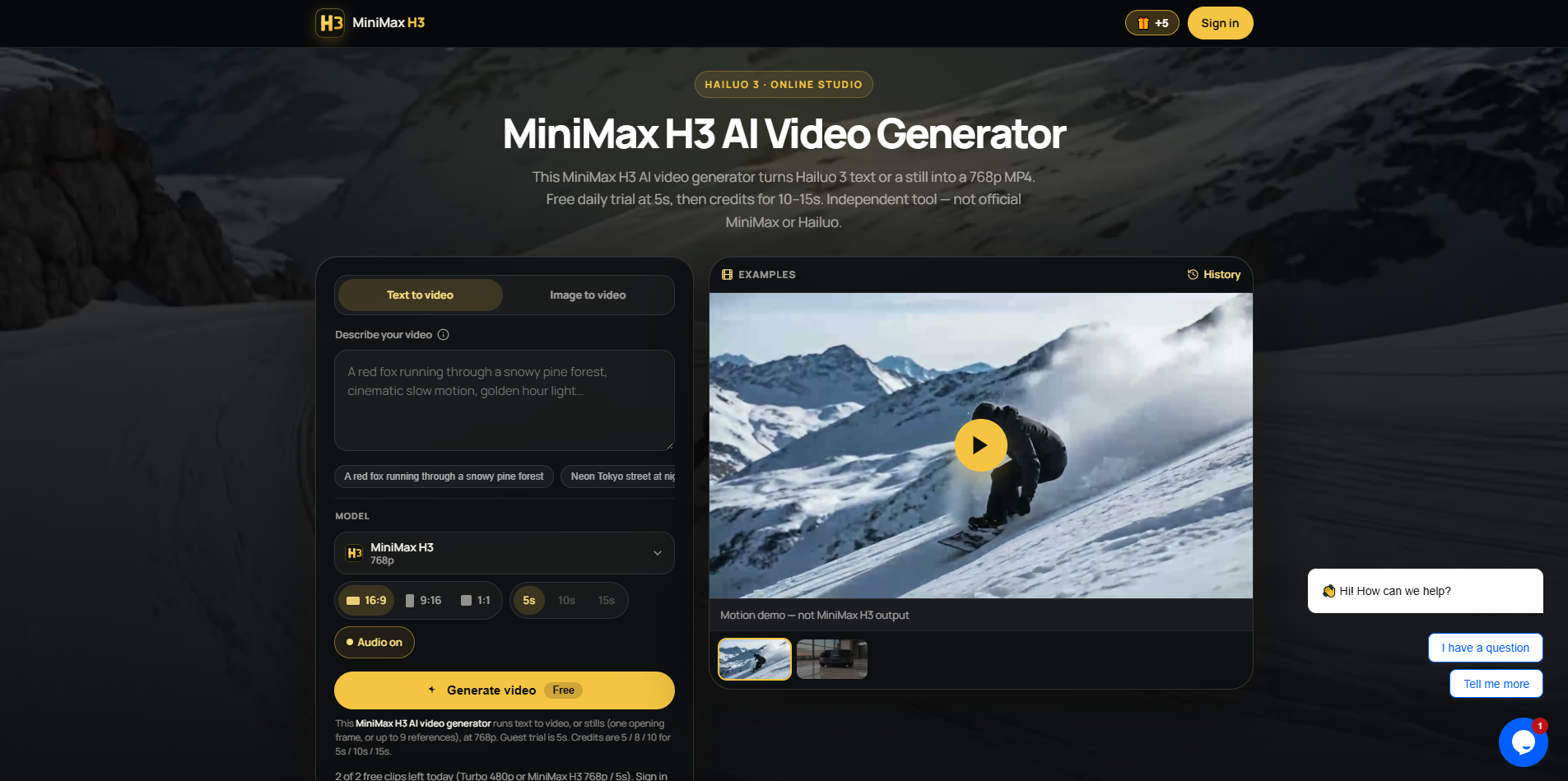
MiniMax H3 AI Video Generator
This MiniMax H3 AI video generator turns Hailuo 3 text or a still into a 768p MP4. Free daily trial at 5s, then credits for 10–15s. Independent tool — not official MiniMax or Hailuo.
SF8.88
SF Score editorial score across features, ease, and value, based on public reviews and product research. Learn more →
Animate product photos into short videos
Animate product photos into short videos
Pricing
Free
Free plan
Available
SoftFinders Score
8.88 / 10
Overview
What is MiniMax H3 AI Video Generator?
MiniMax H3 AI Video Generator is a browser-based tool for creating short AI videos from text prompts or reference images. Users can generate 5, 10, or 15-second clips, choose landscape, portrait, or square formats, and animate still images with motion instructions and camera movement. The platform also supports generated audio, downloadable MP4 output, and paid commercial-use licensing. It runs directly in the browser on desktop and mobile, with free daily generations available and paid credit packs for longer or more frequent video creation.
KEY FEATURES
What you get out of the box
Text-to-video generation
Creates short videos directly from written prompts
Image-to-video animation
Animates uploaded stills using motion instructions
Multiple clip durations
Generates five, ten, or fifteen-second videos
Multiple aspect ratios
Supports landscape, portrait, and square video
Reference image input
Uses uploaded images to guide video generation
Native audio output
Returns MP4 video with generated audio
Browser-based generation
Runs on desktop and mobile browsers
Saved works library
Keeps signed-in generations available for later download
USE CASES
Where teams put it to work
Animate product photos into short videos
Generate vertical clips for social content
Turn written concepts into video scenes
Add controlled motion to still images
Create landscape promotional video concepts
Produce short videos without editing software
Animate portraits with subtle motion
Create location plates for social loops
Create looping motion from location photos Minimax H3
Editorial Take
What we like, and what to verify
- Video output limited to 768p
- Official 2K mode unavailable here
- Guest clips limited to five seconds
- Guests receive two clips daily
- No first-and-last-frame control
- Omni video references are unavailable
Screenshots
A look inside
USER REVIEWS
MiniMax H3 AI Video Generator Reviews
Published user reviews are moderated and kept separate from the SoftFinders Score.
No published reviews yet.
Reviews from real users will appear here once published.
Used MiniMax H3 AI Video Generator?
Share your experience with other buyers.
FAQ