
- Chat interface makes analysis approachable for non coders
- Python execution supports more transparent analytical work
- Free plan helps users test practical fit

Julius AI
Chat based data analysis and charts
SF8.5
SF Score editorial score across features, ease, and value, based on public reviews and product research. Learn more →
conversational analyticsAI data analystPython analysis
conversational analyticsAI data analyst
Best for
Users exploring data through conversation
Pricing
From $20/mo
Free plan
Available
SoftFinders Score
8.5 / 10
Overview
What is Julius AI?
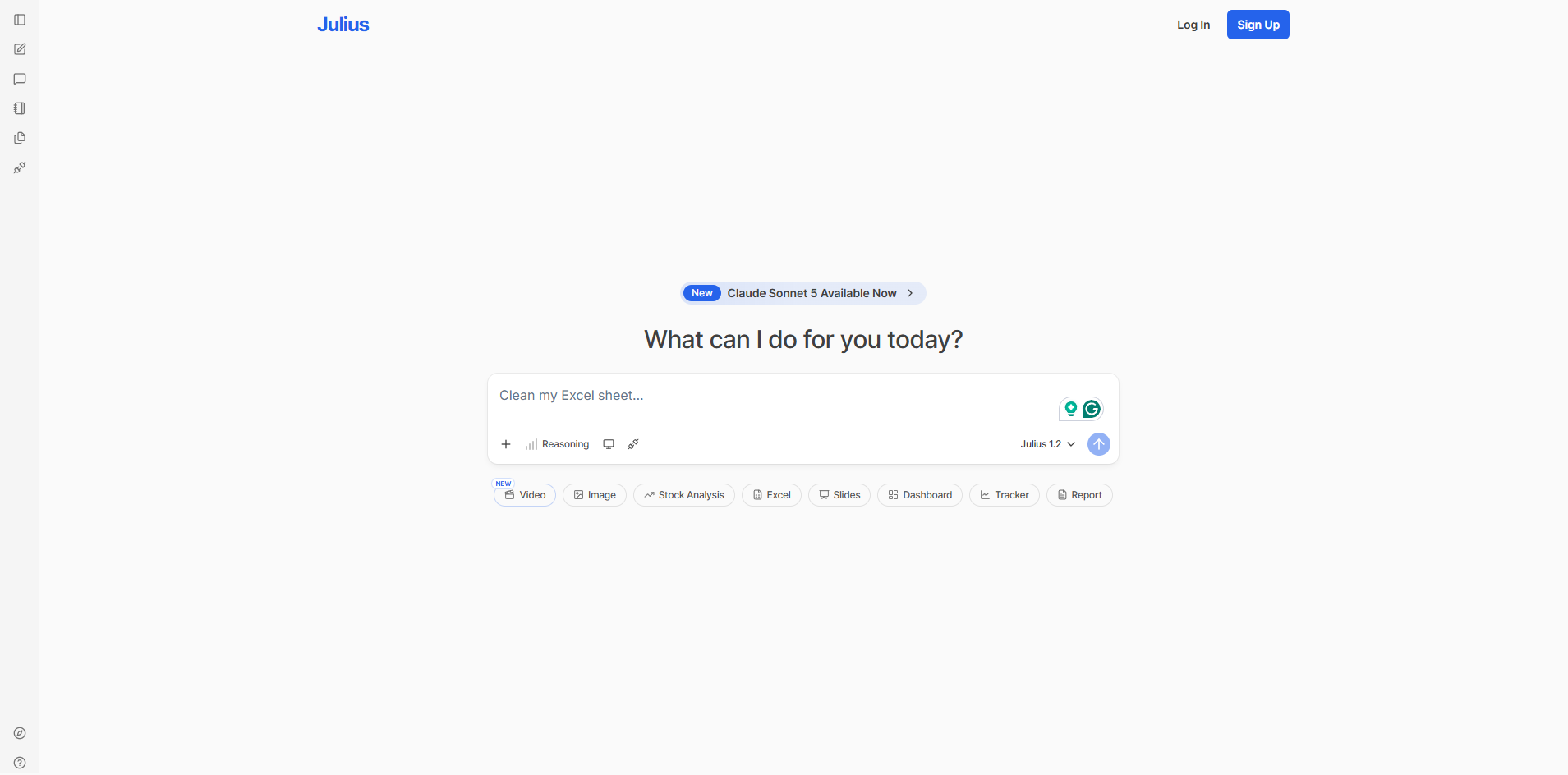
Julius AI is an AI workspace with a conversational data-analysis workflow that lets users investigate spreadsheets, documents, databases, and connected business data using natural-language questions. It can write and execute Python, R, and SQL so analytical results can be produced through code and queries rather than text generation alone.
- Analysis workflow: users can clean, join, transform, visualize, model, and statistically analyze datasets, then continue refining the analysis through follow-up questions while retaining the context of the conversation.
- Data connectivity: Julius supports uploaded files and direct connections including PostgreSQL, BigQuery, Snowflake, MySQL, SQL Server, Supabase, Google Ads, and Meta Ads, alongside file services such as Google Drive, OneDrive, and SharePoint.
- Implementation checks: teams should assess database permissions, schema and business definitions, privacy requirements, compute needs, output validation, connector access, and whether shared data connections, scheduled reporting, Slack access, or custom agents are required.
- Commercial considerations: Julius now uses credit-based plans spanning Free, Plus, Pro, Max, Ultra, and Business, with Enterprise available through sales. Higher tiers increase credits and compute while adding capabilities such as database connectors, collaboration, scheduled reports, custom agents, permanent storage, and enterprise security controls.
Julius is particularly relevant to people who want to move from a plain-language question to computed analysis, statistical outputs, and visualizations without manually writing every Python, R, or SQL step themselves.
KEY FEATURES
What you get out of the box
Data Chat
Answers questions from files and databases
Python Execution
Runs analysis code behind user prompts
Chart Creation
Builds visual outputs from conversational requests
Notebook Threads
Stores repeatable analysis sessions for sharing
File Uploads
Reads spreadsheets, CSVs, and documents securely
Live Connections
Connects databases for current business data
USE CASES
Where teams put it to work
Analyze spreadsheets through natural language
Create quick charts for presentations
Run exploratory analysis on files
Support consulting and research projects
Generate Python backed analytical outputs
Forecast simple business trends quickly
Editorial Take
What we like, and what to verify
- Sensitive data needs careful privacy review first
- Complex statistics still require human validation work
- Not built for governed enterprise dashboard programs
Screenshots
A look inside



Alternatives
Tools to consider next

USER REVIEWS
Julius AI Reviews
Published user reviews are moderated and kept separate from the SoftFinders Score.
No published reviews yet.
Reviews from real users will appear here once published.
Used Julius AI?
Share your experience with other buyers.
FAQ