
- Native CRM data avoids extra reporting integrations
- Breeze AI helps summarize revenue performance questions
- Strong fit for existing HubSpot revenue teams

HubSpot Analytics
CRM reporting inside HubSpot workspaces
SF8.7
SF Score editorial score across features, ease, and value, based on public reviews and product research. Learn more →
Track campaign influence on revenuemarketing reportingCRM analytics
Track campaign influence on revenuemarketing reporting
Best for
HubSpot teams tracking revenue performance
Pricing
From $22/mo
Free plan
Available
SoftFinders Score
8.7 / 10
Overview
What is HubSpot Analytics?
HubSpot Analytics is the reporting and analytics layer across HubSpot’s customer platform, connecting marketing, website, sales, service, revenue, and CRM data so teams can measure performance against shared customer records.
- Marketing analysis: HubSpot reports on website activity, traffic sources, campaigns, forms, email performance, lead generation, and attribution. Because these interactions connect to CRM records, teams can examine how marketing activity contributes to contacts, deals, and revenue.
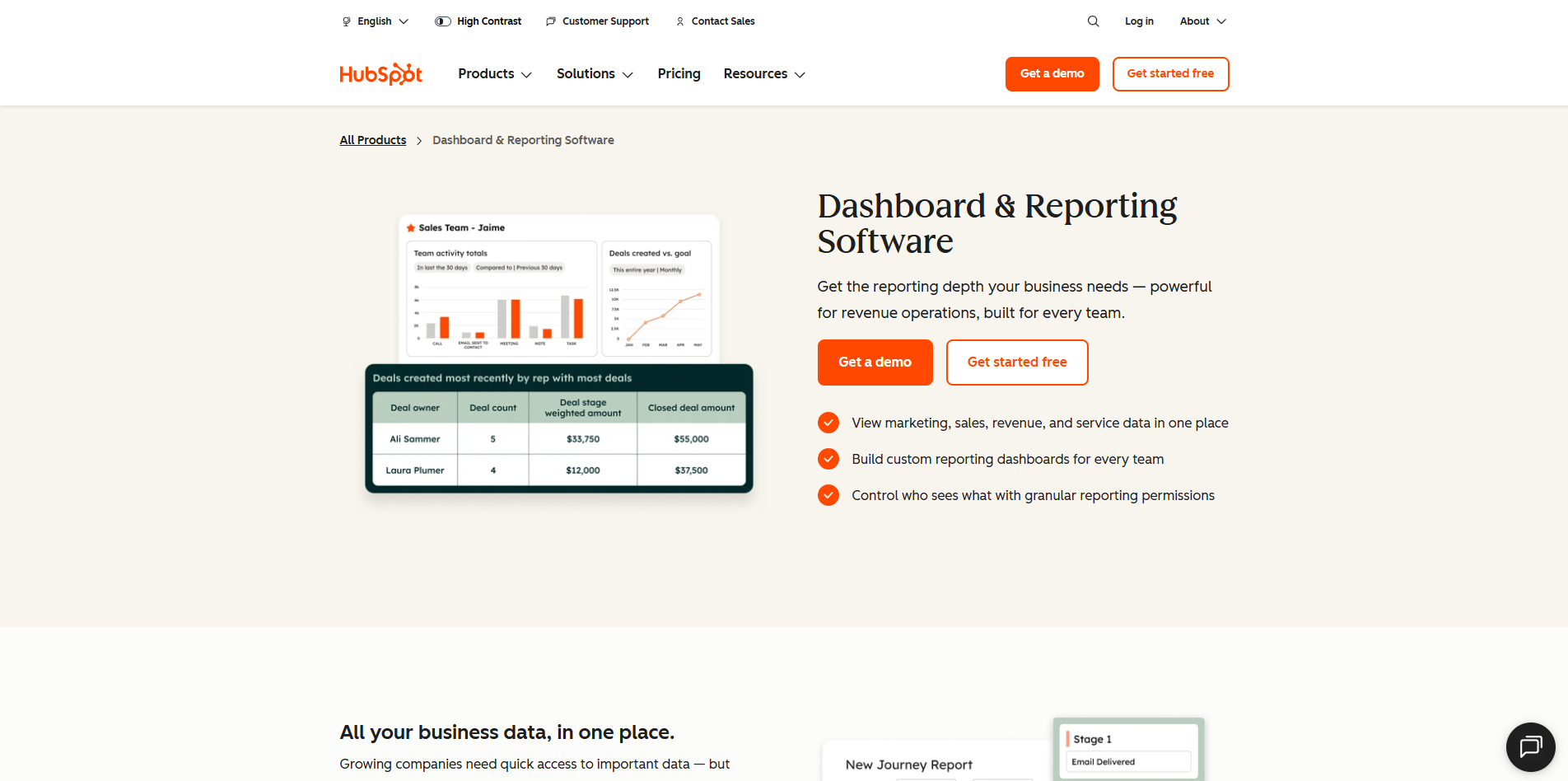
- Reporting depth: the custom report builder can combine multiple HubSpot data sources, including CRM objects, activities, and marketing data. Funnel reports analyze progression between stages, attribution reports assign credit across customer touchpoints, and Journey Analytics maps the sequence of interactions contacts, deals, or tickets take through defined stages.
- Implementation checks: teams should verify tracking-code deployment, consent configuration, lifecycle stages, deal pipelines, campaign associations, connected integrations, and CRM data quality before relying on conversion or attribution reporting. Missing tracking data cannot be reconstructed after collection fails.
- Commercial considerations: free HubSpot accounts include reporting dashboards and standard website analytics, but capabilities expand substantially by subscription. Custom reporting generally requires Professional or Enterprise, attribution reporting is available with qualifying Professional and Enterprise subscriptions, and Journey Analytics requires qualifying Enterprise editions.
HubSpot Analytics is particularly relevant to organizations already using HubSpot that want marketing and customer-journey performance connected directly to CRM outcomes instead of reconciling those datasets in a separate analytics system.
KEY FEATURES
What you get out of the box
Custom Reports
Build CRM dashboards without separate tools
Attribution Reporting
Compare campaign influence across revenue stages
Breeze AI
Ask questions and summarize CRM data
Forecast Dashboards
Track pipeline health and expected revenue
Marketing Analytics
Measure campaign channel performance inside HubSpot dashboards
Service Metrics
Review ticket volume, response trends, satisfaction
USE CASES
Where teams put it to work
Track campaign influence on revenue
Monitor sales team performance trends
Measure service response and satisfaction
Report executive CRM health metrics
Analyze attribution across marketing channels
Forecast pipeline for revenue planning
Editorial Take
What we like, and what to verify
- Best results depend on HubSpot data quality
- Advanced reports require higher hub tiers often
- Cross-system analysis remains limited without data exports
Screenshots
A look inside
Alternatives
Tools to consider next

Segment SF 8.5
Why consider it
Customer data pipeline for connected tools

Bloomreach SF 8.51
Why consider it
Enterprise commerce experience platform with Loomi AI

Optimove SF 8.3
Why consider it
AI CRM marketing for retention teams

FullStory SF 8.46
Why consider it
Session replay with digital friction insights

Heap SF 8.57
Why consider it
Autocapture analytics for digital product teams

Pendo SF 8.6
Why consider it
Product analytics with in-app guidance
USER REVIEWS
HubSpot Analytics Reviews
Published user reviews are moderated and kept separate from the SoftFinders Score.
No published reviews yet.
Reviews from real users will appear here once published.
Used HubSpot Analytics?
Share your experience with other buyers.
FAQ