
- Strong online video editor with AI features available
- AI subtitles, AI avatars, AI voice cloning included
- Affordable monthly pricing for marketers and creators

Veed
Online video editor with AI features
SF8.3
SF Score editorial score across features, ease, and value, based on public reviews and product research. Learn more →
Edit videos in browser onlineai avatarsvideo editor
Edit videos in browser onlineai avatars
Best for
Online video editor with AI features
Pricing
From $18/mo
Free plan
Available
SoftFinders Score
8.3 / 10
Overview
What is Veed?
VEED is a browser-based video creation and editing platform that combines timeline editing, screen and camera recording, automatic subtitles, transcript-based editing, AI-assisted post-production, and generative video tools. It is designed for creators, marketers, educators, and business teams that want to produce videos without relying entirely on traditional desktop editing software.
- Video editing: Users can trim, crop, resize, add text, music, and subtitles, or edit spoken footage by changing its transcript. AI tools can remove filler words and silences, clean background noise, insert B-roll, extract highlights from longer videos, automatically frame speakers, and reformat clips for platforms such as TikTok, Reels, and YouTube Shorts.
- AI video generation: VEED can turn prompts, scripts, articles, or images into videos containing stock or AI-generated visuals, narration, subtitles, and AI avatars. Its AI playground also provides access to multiple generative models, including models from Google, Kling, MiniMax, Luma, and others, while image-to-video tools can animate uploaded images before the result is refined in VEED's editor.
- Localization: Automatic transcription and subtitle translation support multilingual video production, while AI dubbing can translate spoken audio, preserve a speaker's voice in supported languages, and optionally apply lip synchronization. Teams can combine these features with avatars, voiceovers, translated subtitles, and the main editor to create localized versions of existing content.
- Plans and limitations: VEED offers a Free plan with limited access to some AI features and exports restricted to 720p with a VEED watermark. Paid Creator, Pro, Studio, and Enterprise plans progressively expand export resolution, AI allowances, translation and dubbing usage, stock assets, and team or enterprise capabilities, with Pro and higher plans supporting exports up to 4K.
VEED is most relevant to teams and individual creators that want recording, conventional editing, captions, AI-assisted cleanup, generative video, and localization available within the same browser-based workflow. Its value depends on production volume, required editing depth, localization needs, AI usage, and whether consolidating these tasks reduces dependence on separate recording, captioning, generation, and editing tools.
KEY FEATURES
What you get out of the box
Online Editor
Browser based video editor for teams
AI Subtitles
Generate subtitles automatically across uploaded videos
AI Avatars
AI avatars for talking head videos
AI Voice
AI voice cloning across video tracks
Text To Video
Generate video from text prompt input
Stock Library
Stock media library inside the editor
USE CASES
Where teams put it to work
Edit videos in browser online
Generate AI subtitles for videos
Use AI avatars for videos
Clone voice with AI tools
Generate text to video output
Use stock library inside editor
Editorial Take
What we like, and what to verify
- Online video editor with AI features layered, not AI-first
- Output quality varies by AI feature and source content
- Larger creative ops teams may prefer dedicated platforms
Screenshots
A look inside
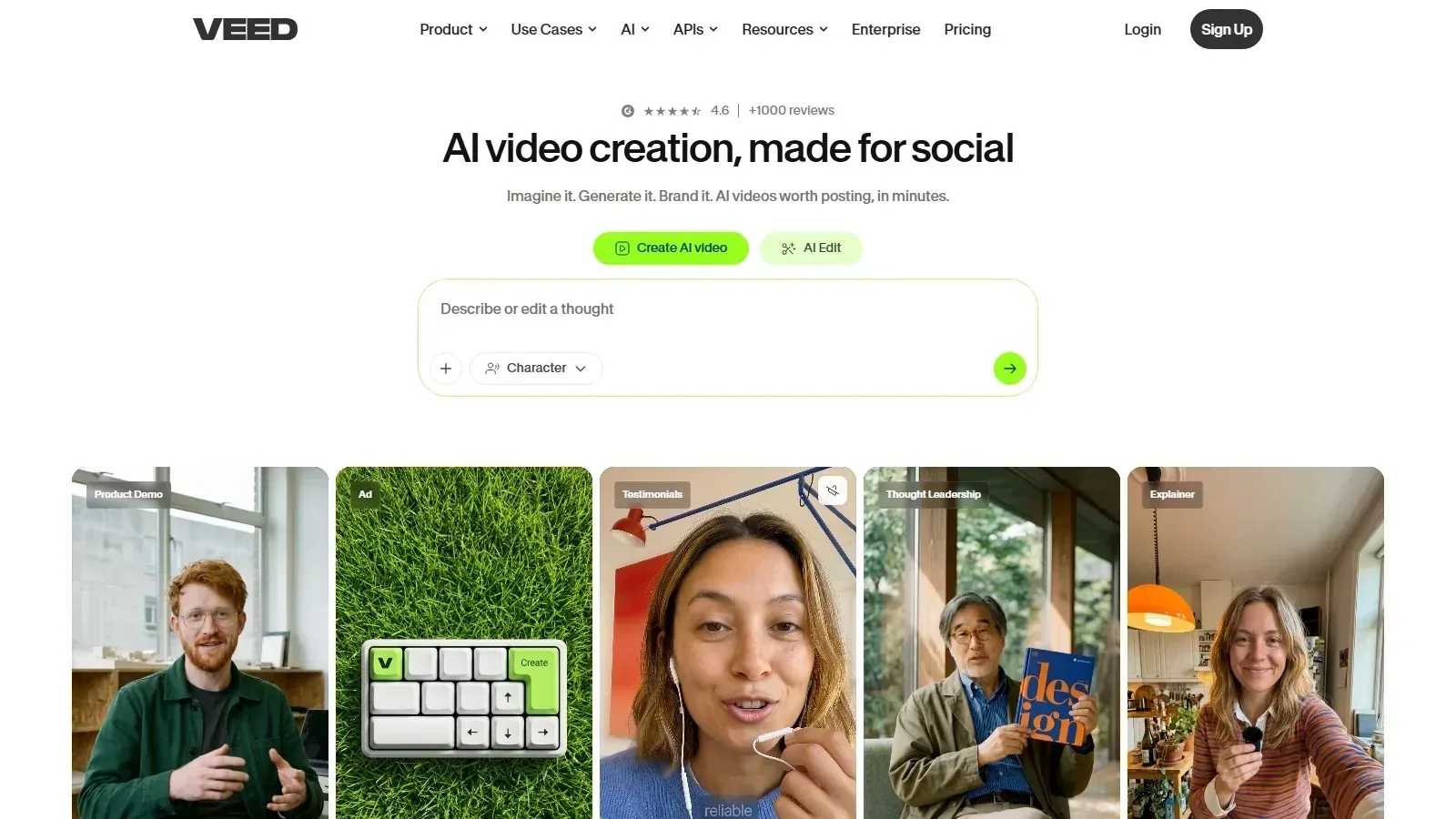 Veed homepage screenshot
Alternatives
Tools to consider next

Pictory SF 8.3
Why consider it
AI text to video for marketers

Steve AI SF 7.9
Why consider it
AI script to animated video tool

Lumen5 SF 8
Why consider it
Template video creation with AI features

Wisecut SF 7.9
Why consider it
AI automatic video editor for creators

InVideo AI SF 8.2
Why consider it
AI prompt to video generation tool

Synthesia SF 8.5
Why consider it
AI avatar video for enterprise teams
USER REVIEWS
Veed Reviews
Published user reviews are moderated and kept separate from the SoftFinders Score.
No published reviews yet.
Reviews from real users will appear here once published.
Used Veed?
Share your experience with other buyers.
FAQ